
UiPath Orchestrator3.13.2 - App Store
You'll be able to see results in few seconds.
Publisher Description

This app is deprecated, to be delisted in November -
https://docs.uipath.com/orchestrator/automation-cloud/latest/mobile-app/deprecation-of-orchestrator-mobile-apps
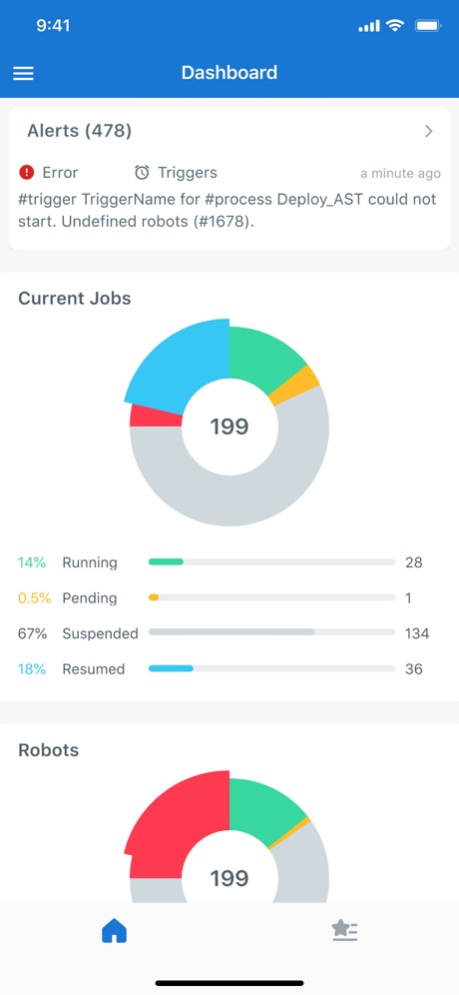
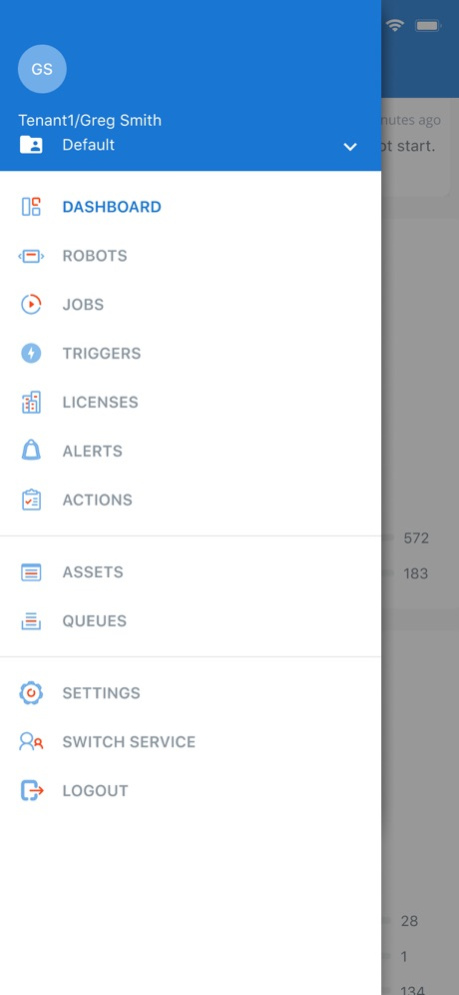
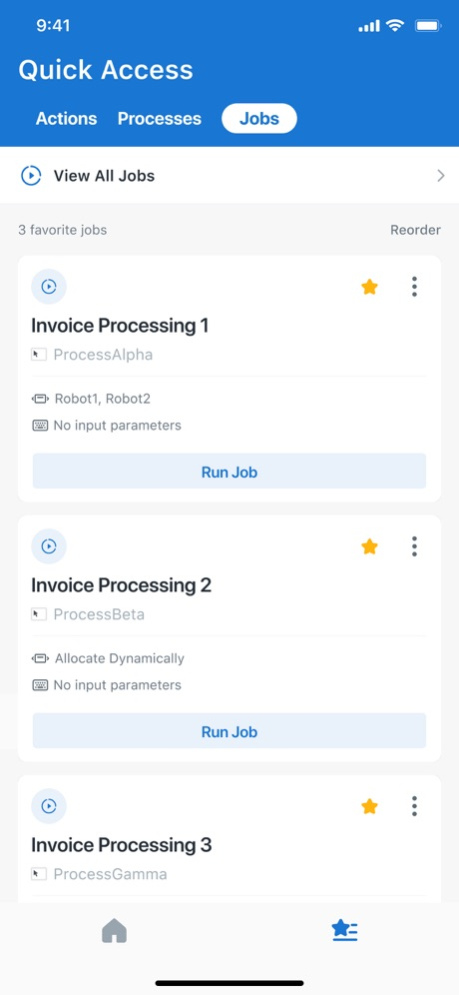
UiPath Orchestrator is the first mobile app to allow you to securely monitor your RPA environment from anywhere at any time. Now you can receive alerts in real-time on the performance of your digital workforce. Get instant insight into the performance of your robots with at a glance dashboards. Easily track your robots, jobs and schedules on the go and never miss an alert again.
UiPath Orchestrator delivers:
* Instant alerts on the status of your automation health and RPA system state for faster response.
* Filtering and search of alerts by severity, message, component, and time leads to easy access of detailed information.
* Visual and easy to understand dashboards and charts providing performance insights.
* Visibility into job and robot status.
* Drill down data including type, status and logs for robots, machines, jobs, and schedules.
* Graphical view of license usage for better license management.
May 5, 2022
Version 3.13.2
- Minor bug fixes and UX enhancements
About UiPath Orchestrator
The company that develops UiPath Orchestrator is UiPath Inc. The latest version released by its developer is 3.13.2.
To install UiPath Orchestrator on your iOS device, just click the green Continue To App button above to start the installation process. The app is listed on our website since 2022-05-05 and was downloaded 0 times. We have already checked if the download link is safe, however for your own protection we recommend that you scan the downloaded app with your antivirus. Your antivirus may detect the UiPath Orchestrator as malware if the download link is broken.
How to install UiPath Orchestrator on your iOS device:
- Click on the Continue To App button on our website. This will redirect you to the App Store.
- Once the UiPath Orchestrator is shown in the iTunes listing of your iOS device, you can start its download and installation. Tap on the GET button to the right of the app to start downloading it.
- If you are not logged-in the iOS appstore app, you'll be prompted for your your Apple ID and/or password.
- After UiPath Orchestrator is downloaded, you'll see an INSTALL button to the right. Tap on it to start the actual installation of the iOS app.
- Once installation is finished you can tap on the OPEN button to start it. Its icon will also be added to your device home screen.
Program Details
System requirements
Download information
Pricing
Version History
version 3.13.2
posted on 2022-05-05
May 5, 2022 Version 3.13.2
- Minor bug fixes and UX enhancements
version 3.13.1
posted on 2021-12-20
Dec 20, 2021
Version 3.13.1
- Minor bug fixes and UX enhancements
version 3.13
posted on 2021-10-11
Oct 11, 2021 Version 3.13
- Having a difficult time finding your personal workspace among all your folders? Don't worry! We've pinned your workspace to the top of the list to make it easier to find!
- Have you ever wanted to kill an attended job via the Orchestrator mobile app? Now you can! If you navigate to either the jobs list or job detail screen, you are now able to stop or kill either unattended or attended jobs!
Disclaimer
Official App Store Link
We do not host UiPath Orchestrator on our servers. We did not scan it for viruses, adware, spyware or other type of malware. This app is hosted by Apple and passed their terms and conditions to be listed there. We recommend caution when installing it.
The App Store link for UiPath Orchestrator is provided to you by apps112.com without any warranties, representations or guarantees of any kind, so access it at your own risk.
If you have questions regarding this particular app contact the publisher directly. For questions about the functionalities of apps112.com contact us.
